I got a full morning of work done this week without touching a keyboard. This is HOW.
🍩 Fresh from Sunday Doughnuts. A new batch lands in your inbox every week. Subscribe free →

An entrepreneur's recipe for sweet success
3.1min Read
Quick timestamp for you. It’s Thursday morning, coffee and red bull running through the veins as I sit here writing this the old fashioned way... with my hands, on a keyboard, like a caveman.
Which is funny, because the thing I want to tell you about this week is the morning I got a whole chunk of my workday done with NO keyboard at all.
Here’s what happened.
I went for a walk. Normal walk. Phone in my pocket, AirPods in. Except before I left the house I did two things. I opened my laptop and told it to never go to sleep. Then I opened the live voice mode in Codex (ChatGPT’s coding tool... same company, same thing) on my phone and hit “connect to my laptop.”
A little blue circle popped up. And then I just... started talking.
By the time I got home, here’s what was done:
- My inbox was sifted through. What’s urgent, what’s not, and a weekly summary of every AI newsletter that landed this week (there are a LOT).
- It scanned Slack for anything that came in overnight that actually needed me. Two things.
- It told me what my 12:30 meeting was about so I didn’t walk in cold.
- We kicked around a podcast episode idea and landed on a title.
- It read my website and my own Slack messages and wrote up a profile of how I write. (More on that in a second, because it’s the part that didn’t go perfectly.)
- It drew me a whiteboard-style map of the whole conversation so I could see everything we covered in one picture.
I didn’t type a single one of those. I said them out loud while walking past the same neighbor who is definitely starting to wonder who I’m talking to every morning.
Here’s why this matters, and it’s not “AI is changing everything.”
For most of our lives, “working” has meant operating apps. Open the tab. Click the button. Scroll the thing. Drag the file over here.
Then AI showed up and we went from clicking to typing. You describe what you want in a box and it does it. Big upgrade.
Voice is the next step.
You don’t type it. You don’t even sit down. You just say it and keep walking.
Further, you don’t need to be technical for this. You need to be able to talk. If you can explain to a new hire what you want done, you can do this.
The setup (it’s genuinely four things)
- Connect your stuff first. Before you do anything, make sure the tool can see your files, your browser, your email, your Slack. This is the step people skip and then wonder why it “doesn’t work.” It doesn’t work because it can’t see anything.
- Tell your laptop not to sleep. Sounds silly. Matters a ton. The laptop is doing the actual work, your phone is just the walkie talkie. There are little Mac apps like Amphetamine that keep it awake, or you can just change the setting.
- Phone, remote, connect. In the app, go to remote, pick your laptop, blue circle, talk.
- Keep the approval point. I had it review a stack of blog drafts. It did NOT publish anything. It made me a list to approve when I got home. Anything that touches your brand, your money, or your customers... you should have the last click.
That’s it.
The part that didn’t go perfectly
When I asked it to write something in my voice, it did a solid job. Read my site, read my Slack, pulled out the patterns. Start with a real moment, write plain, be warm, don’t do guru stuff. Don't sound like AI… Honestly pretty accurate.
BUT it wasn’t me.
Because I keep all of that in Claude. I’ve got a “Kevin’s talking voice” skill, a newsletter voice, an email voice, the whole thing. Codex had none of it. So it rebuilt a version of me from scratch, and a rebuild is never the original.
The lesson: your context only lives where you put it. If you’ve spent months teaching one tool who you are, and then you go use a different tool, you’re starting over. My next step is exporting those voice files and dropping them everywhere I work. Do the same. Don’t let your best setup live in one place.
Update— I just downloaded those from Claude and uploaded to Codex.
Steps—
- Go to customize
- Click on skills
- Click on the skill you want
- Click on content
- Download the file
- Drag and drop into a new chat in codex and ask it to save it as a skill
LAST THING I’LL SAY
I’m thinking about doing a whole podcast episode on this.
Working title: The Computerless Workday Is Closer Than You Think.
If you’d listen to that, hit reply and tell me. If you wouldn’t, hit reply and tell me that too. I read every one.
And this weekend, go for a walk. Bring your phone. Try one thing. Even if it’s just “what’s urgent in my inbox right now?” Once you feel it work one time, you’re not going back.
BITES
🍩BITE 1 — Mysterypreneur Link
This is Chris’s new YouTube channel. There are zero videos, zero shorts. Nothing is on the channel, but he launched this less than a week ago. And because of the size of his audience and the reach that he has, even just one single post about it, he now has this many followers on the channel. It is amazing what you can do when you’ve built a personal brand.
🍩BITE 2 — Watch the whole thing
🍩BITE 3 — AI juice 🧃
The tool from this week is the live voice mode in ChatGPT / Codex. Same thing, two names. It’s the best in its class right now and it’s free to try if you’re already on a plan. And if you’re on a Mac, grab Amphetamine from the App Store so your laptop stays awake while you’re out.
Until next time...
Stay in the fight,

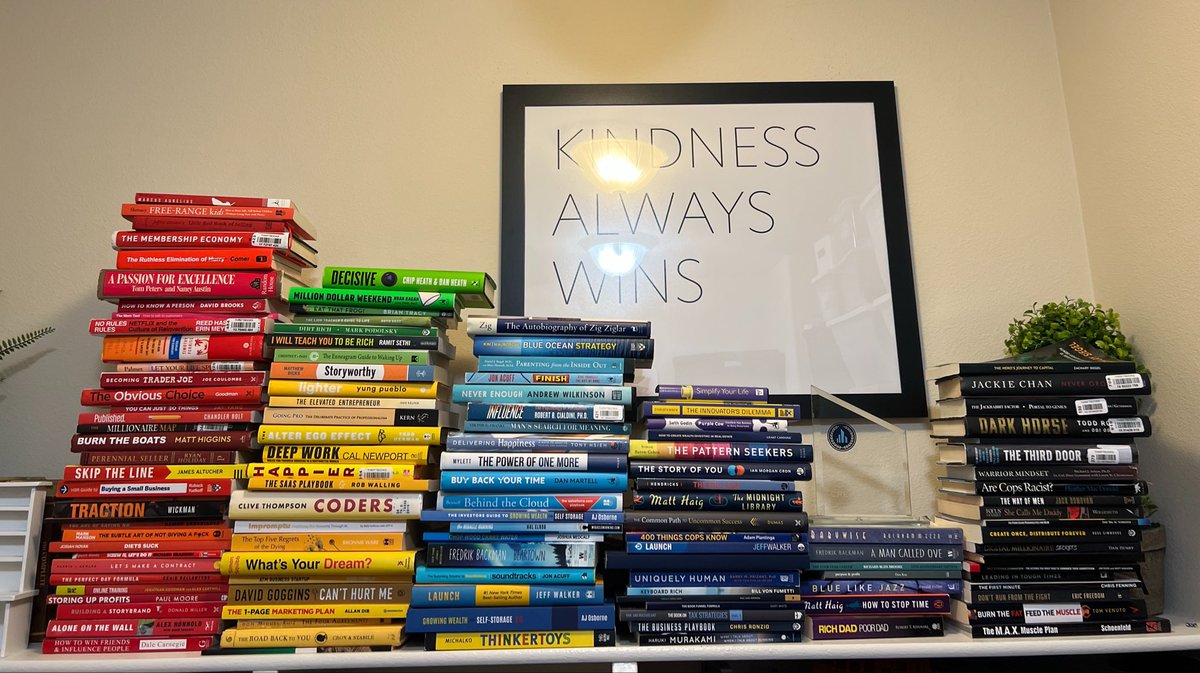
My best tweet this week:
@kevinasrx
Do you organize your books by name, author or color?
There’s only one right answer. 📚
My favorite tweet this week:
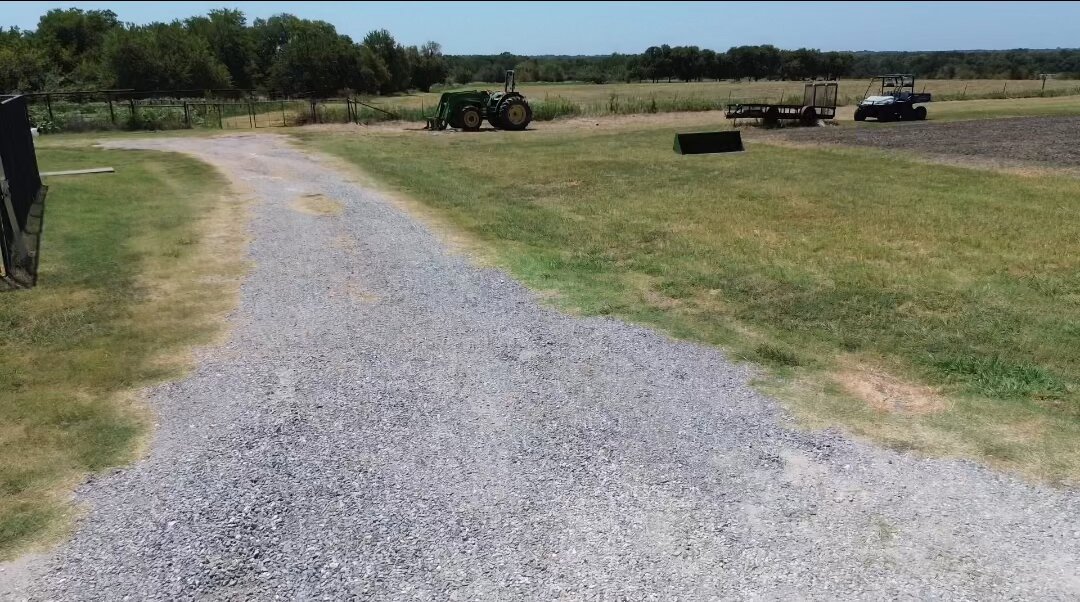
@mhp_guy
I did something kind of insane. I just spent millions of dollars on dirt.
231 acres, 45 minutes from my house in DFW.
In this post: why I bought it, how I plan to make money on it, and exactly what I paid.
Here's the story.
A couple years ago my buddy Jeff bought a ranch. And
Other places to find me:
📸 IG
🎥 YouTube
🤳 TT
🧑💻 Medium
🙋🏻♂️ About Me
📚 What I'm Reading
✏️ What I'm Writing
🧱 What I'm Doing
📌 Pinned Article
Liked this one? Get the next one in your inbox.
One email every Sunday about starting, buying and growing small businesses. What's working, what isn't, and what I'm building right now.
Free. You'll get a confirm email first. Unsubscribe anytime.